




08-16-2025, 09:55 AM
1. download new firmware for F16:
 KCS_F16_V3.11.6_beta_20250816-173359.zip (Size: 1.05 MB / Downloads: 721)
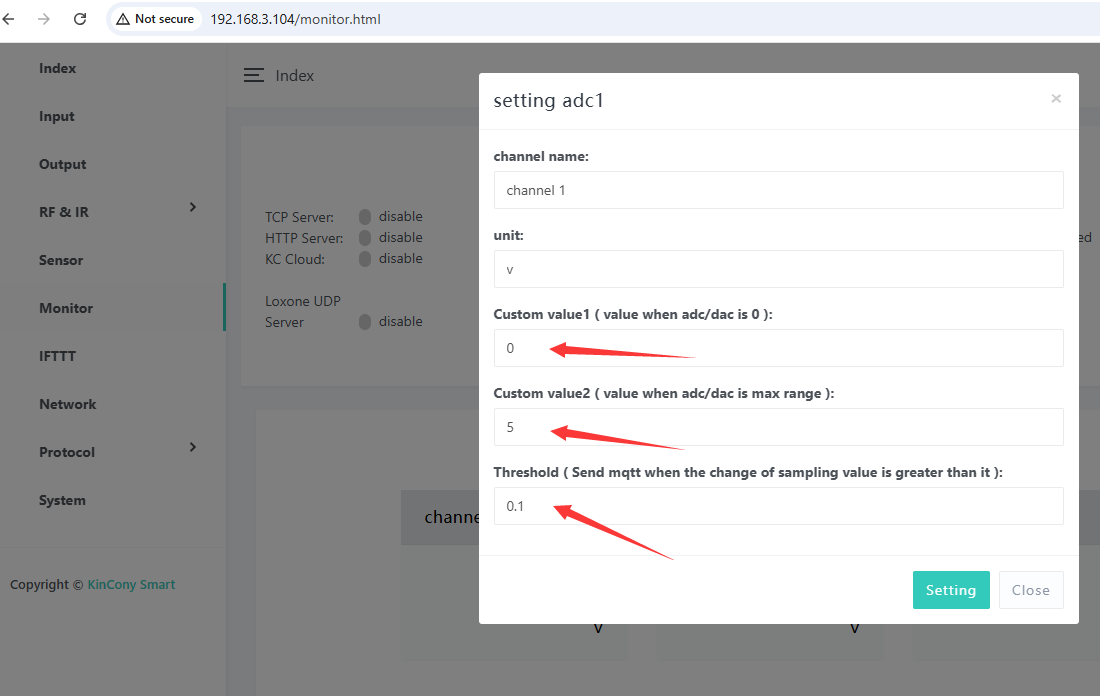
2. set ADC for Custom value1, Custom value2 and Threshold.
for example:
you are using DC 0-5v analog signal sensor. you can set as this photo.
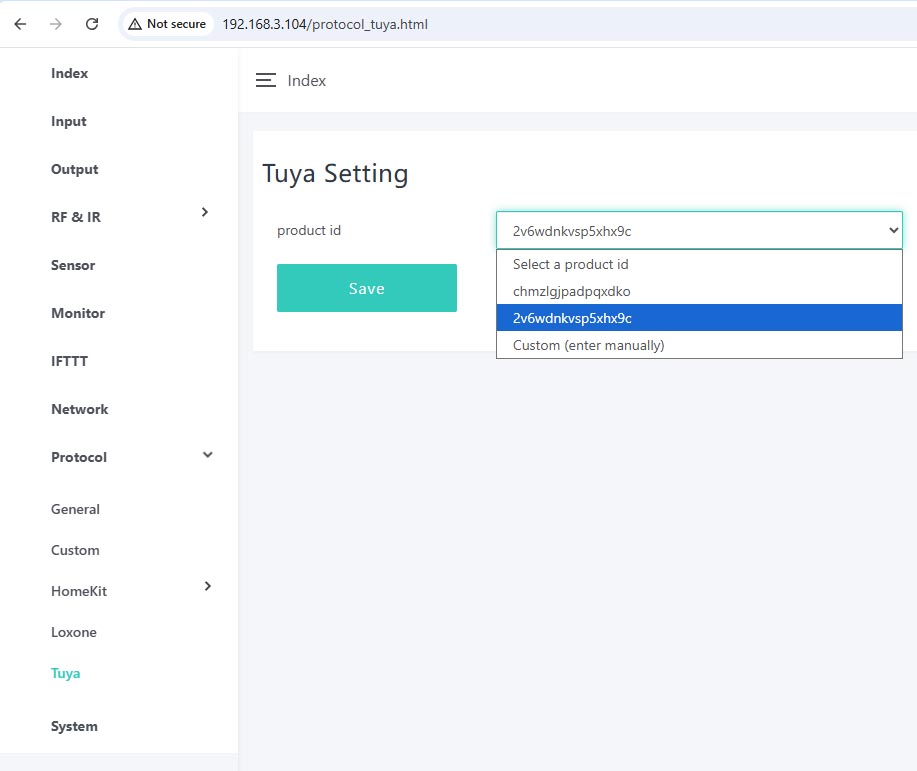
3. enter "Protocol" -- "Tuya" webpage, select the product id = 2v6wdnkvsp5xhx9c
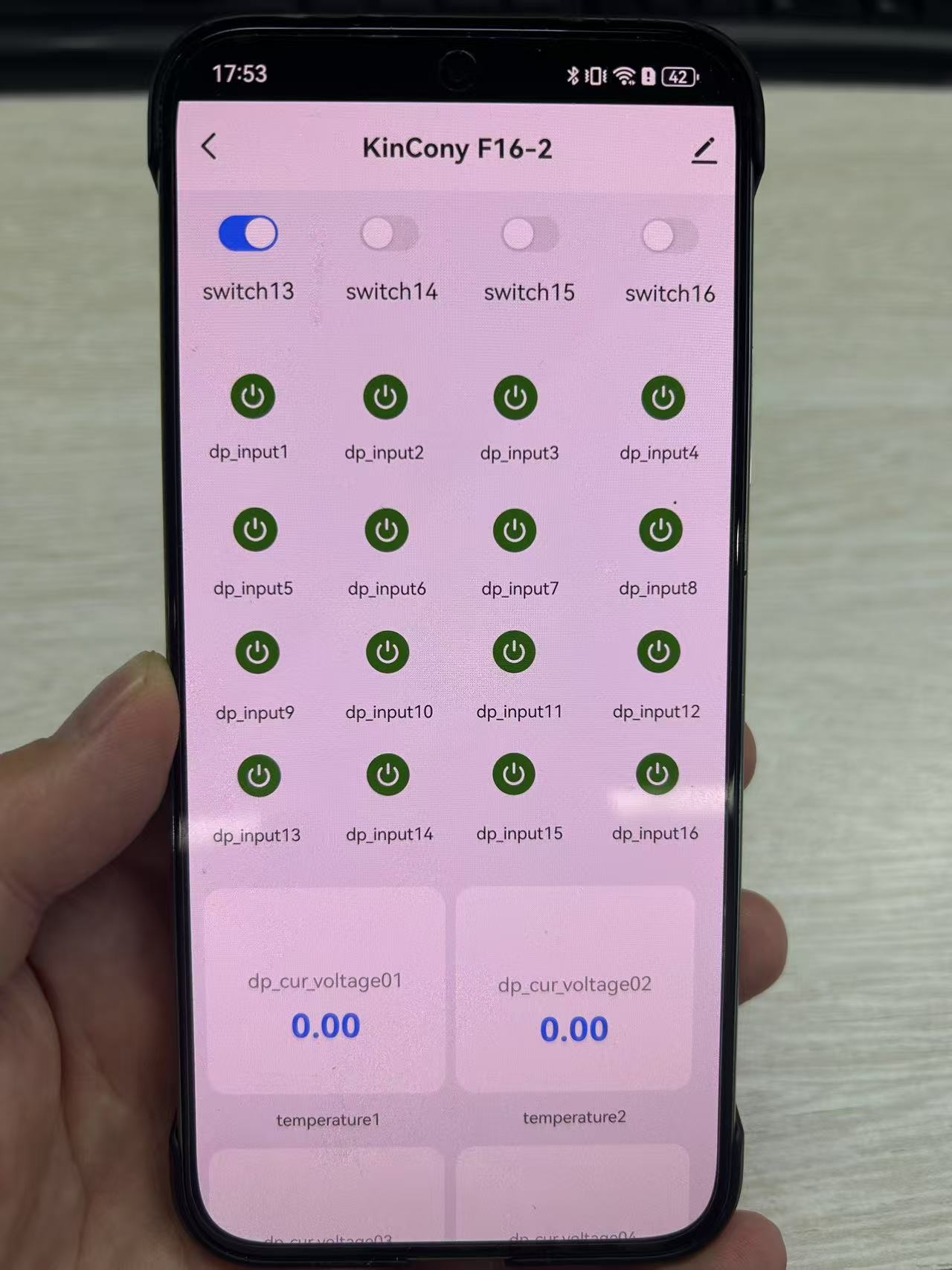
two different PID use different tuya UI interface for F16 Controller.
KCS_F16_V3.11.6_beta_20250816-173359.zip (Size: 1.05 MB / Downloads: 721)
2. set ADC for Custom value1, Custom value2 and Threshold.
for example:
you are using DC 0-5v analog signal sensor. you can set as this photo.
3. enter "Protocol" -- "Tuya" webpage, select the product id = 2v6wdnkvsp5xhx9c
two different PID use different tuya UI interface for F16 Controller.
YouTube: https://www.youtube.com/c/KinCony
Online Store: https://shop.kincony.com
Alibaba Store: https://kincony.en.alibaba.com/
Online Store: https://shop.kincony.com
Alibaba Store: https://kincony.en.alibaba.com/