





06-15-2026, 06:16 AM
KC868-A8S read KinCony TS modbus sensor by RS485. USB print the temperature and humidity value.
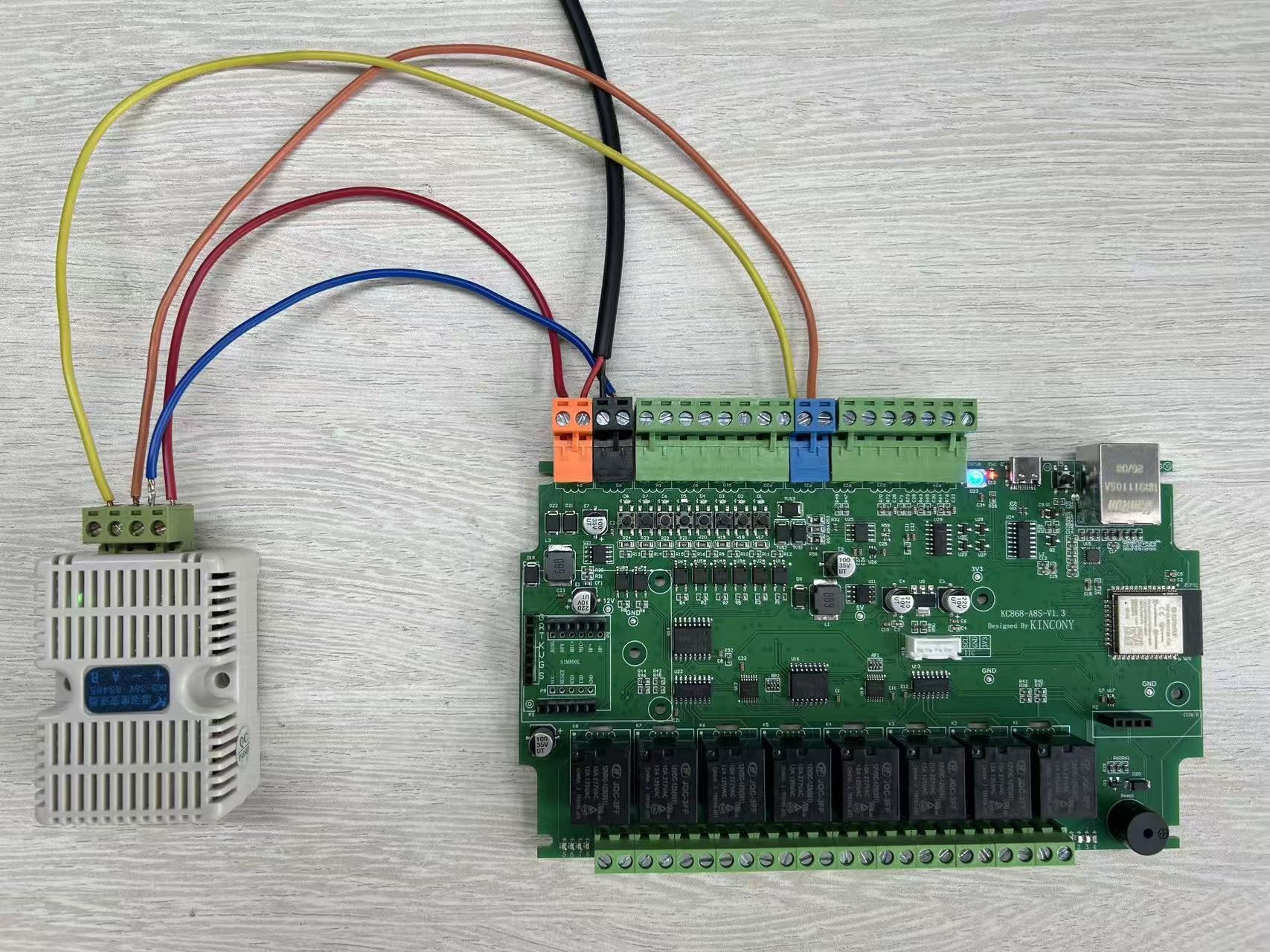
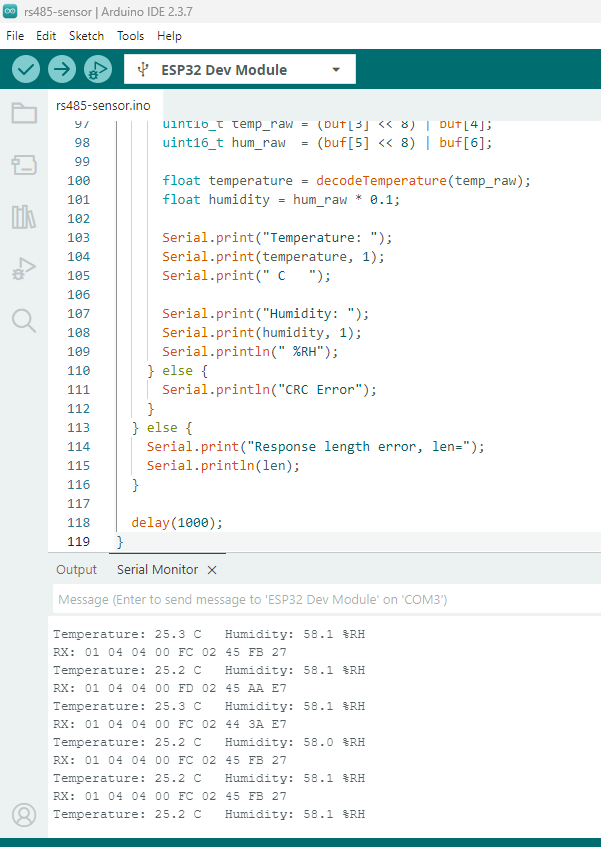
arduino source code download:
 rs485-sensor.zip (Size: 1.02 KB / Downloads: 253)
ESP32 BIN file download (just download to ESP32 module begin 0x0 address):
rs485-sensor.ino.merged.zip (Size: 169.79 KB / Downloads: 232)
Code:
/*

  Made by KinCony IoT

  https://www.kincony.com

*/


#include <HardwareSerial.h>


#define RS485_RX 32

#define RS485_TX 33


HardwareSerial RS485Serial(2);


// Read input register: ID=1, Function=04, Start=0000, Quantity=0002

uint8_t readCmd[] = {

  0x01, 0x04, 0x00, 0x00,

  0x00, 0x02, 0x71, 0xCB

};


uint16_t modbusCRC(uint8_t *buf, int len)

{

  uint16_t crc = 0xFFFF;


  for (int pos = 0; pos < len; pos++) {

    crc ^= buf[pos];


    for (int i = 0; i < 8; i++) {

      if (crc & 0x0001) {

        crc >>= 1;

        crc ^= 0xA001;

      } else {

        crc >>= 1;

      }

    }

  }


  return crc;

}


float decodeTemperature(uint16_t value)

{

  if (value >= 10000) {

    return -1.0 * (value - 10000) * 0.1;

  } else {

    return value * 0.1;

  }

}


void setup()

{

  Serial.begin(115200);


  RS485Serial.begin(

    9600,

    SERIAL_8N1,

    RS485_RX,

    RS485_TX

  );


  delay(1000);


  Serial.println();

  Serial.println("RS485 Modbus Temperature & Humidity Sensor");

}


void loop()

{

  while (RS485Serial.available()) {

    RS485Serial.read();   // clear old data

  }


  RS485Serial.write(readCmd, sizeof(readCmd));

  RS485Serial.flush();


  delay(200);


  uint8_t buf[32];

  int len = 0;


  while (RS485Serial.available()) {

    buf[len++] = RS485Serial.read();

    if (len >= sizeof(buf)) break;

  }


  if (len == 9) {

    Serial.print("RX: ");

    for (int i = 0; i < len; i++) {

      if (buf[i] < 0x10) Serial.print("0");

      Serial.print(buf[i], HEX);

      Serial.print(" ");

    }

    Serial.println();


    uint16_t crc_recv = buf[7] | (buf[8] << 8);

    uint16_t crc_calc = modbusCRC(buf, 7);


    if (crc_recv == crc_calc) {

      uint16_t temp_raw = (buf[3] << 8) | buf[4];

      uint16_t hum_raw  = (buf[5] << 8) | buf[6];


      float temperature = decodeTemperature(temp_raw);

      float humidity = hum_raw * 0.1;


      Serial.print("Temperature: ");

      Serial.print(temperature, 1);

      Serial.print(" C   ");


      Serial.print("Humidity: ");

      Serial.print(humidity, 1);

      Serial.println(" %RH");

    } else {

      Serial.println("CRC Error");

    }

  } else {

    Serial.print("Response length error, len=");

    Serial.println(len);

  }


  delay(1000);

}
rs485-sensor.zip (Size: 1.02 KB / Downloads: 253)
ESP32 BIN file download (just download to ESP32 module begin 0x0 address):
rs485-sensor.ino.merged.zip (Size: 169.79 KB / Downloads: 232)
YouTube: https://www.youtube.com/c/KinCony
Online Store: https://shop.kincony.com
Alibaba Store: https://kincony.en.alibaba.com/
Online Store: https://shop.kincony.com
Alibaba Store: https://kincony.en.alibaba.com/