

Note: This document use for KinCony KCS v3 firmware smart controller with Zigbee function.
1. Download “KCS” firmware to KinCony ESP32-S3 series board.
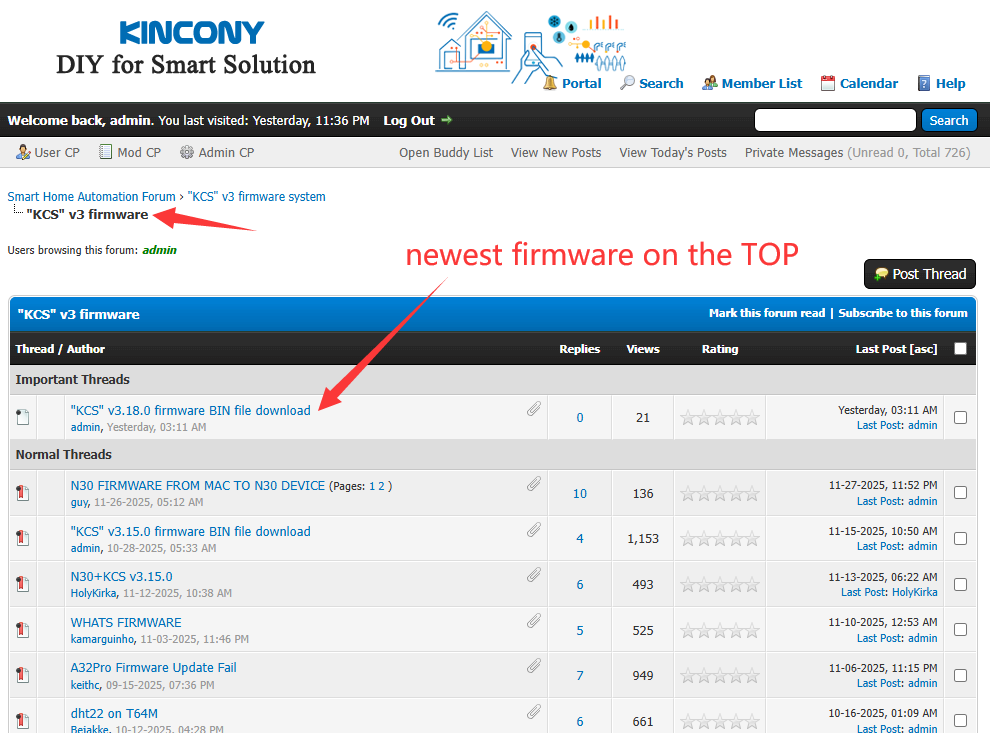
a. Download “ESP32 download tool” from https://www.kincony.com/wp-content/uploads/2022/08/flash_download_tool_3.9.2.zip and firmware BIN file from KinCony forum.
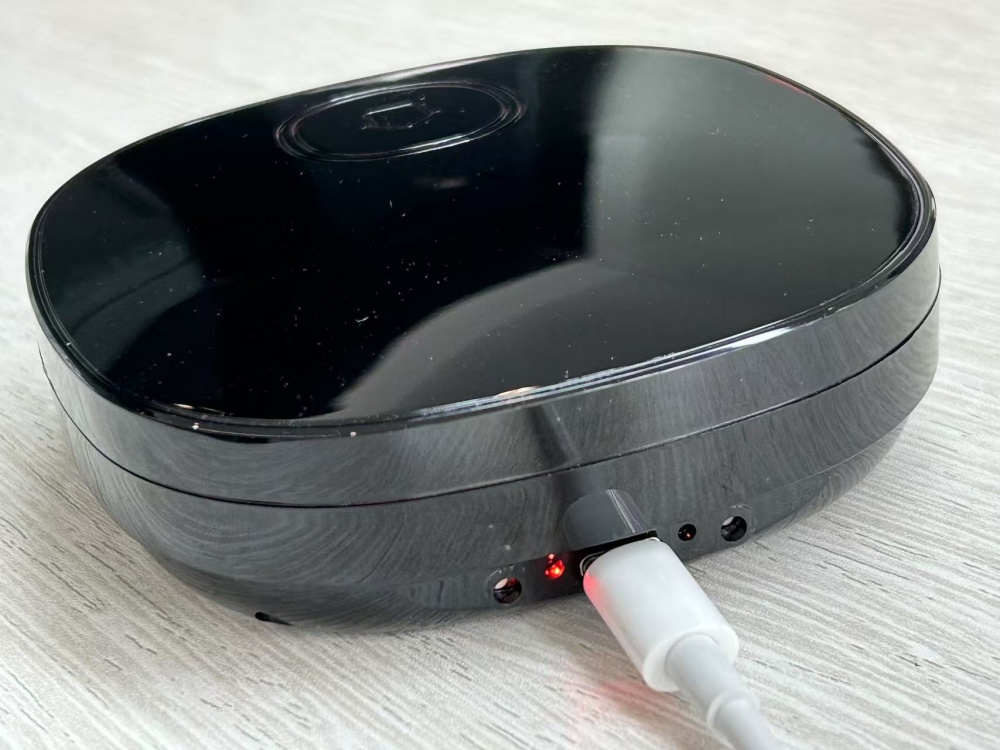
b. Open “flash_download_tool_3.9.2.exe”, (firstly MUST connect USB cable to your board, power on)
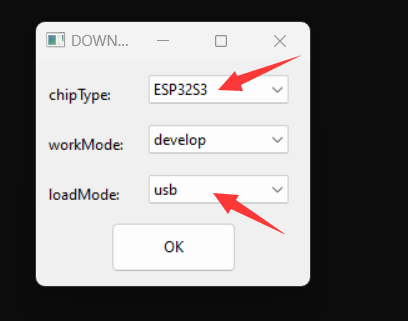
chose “ESP32-S3” and workMode=“develop” loadMode: “usb” item.
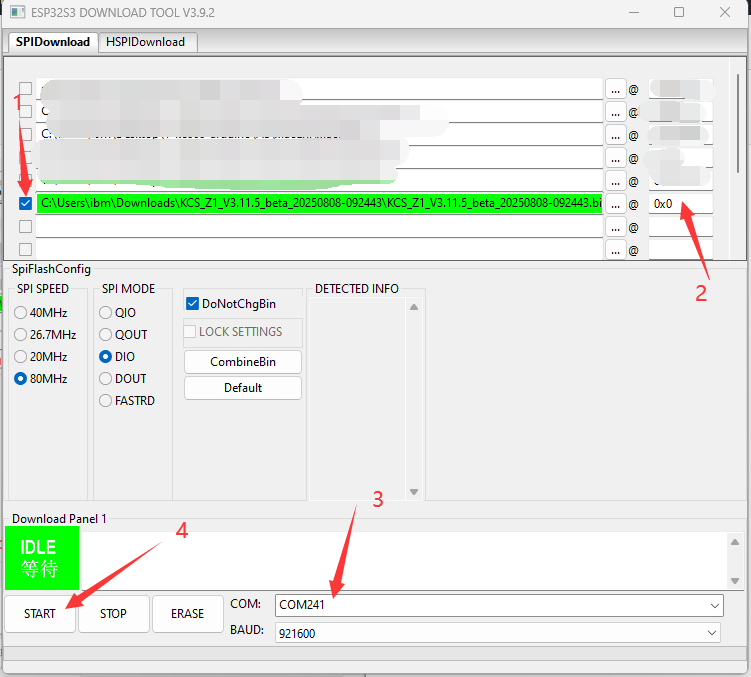
c. Chose KCS v3 firmware BIN file and COM port then begin download.
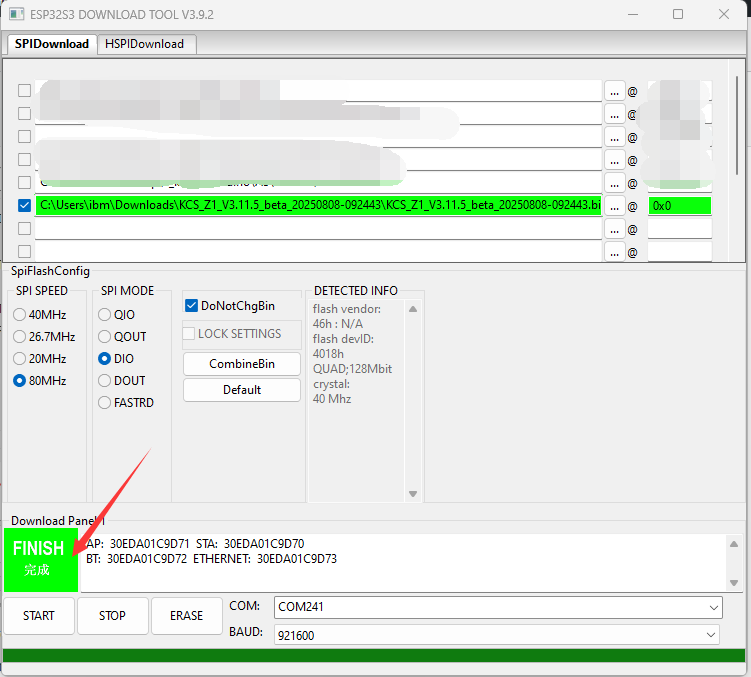
note: if download failure. You can do these steps, let controller ESP32S3 enter BOOTLOAD again:
1. power off Zigbee Controller.
2. hold on DW (ESP32 download button), don’t move your finger.
3. power on of controller
4. release your finger.
5. Then controller enter bootloader mode. download firmware again.
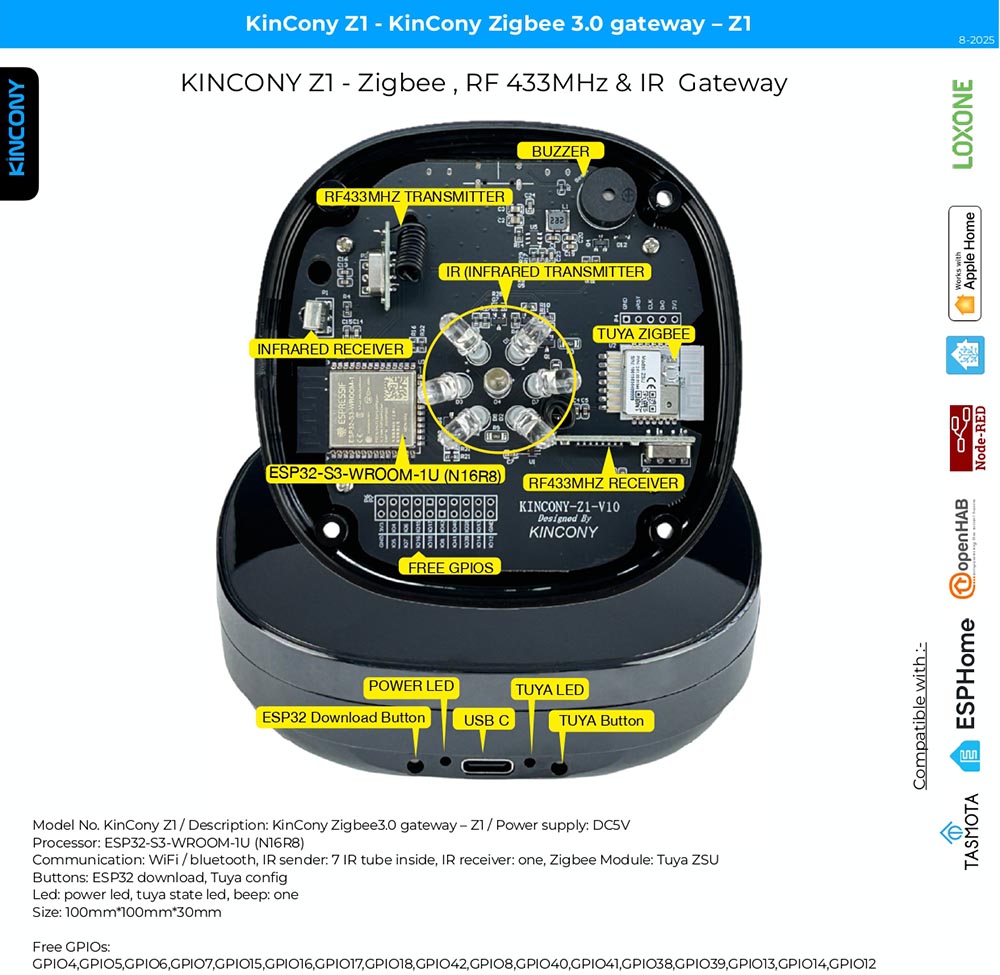
after download firmware finished, you MUST re connect your USB-C cable. Because of Z1 need power off->on again. Then will reboot, your computer will find the “AP” hotspot, WiFi signal named “board name” + “ID”.
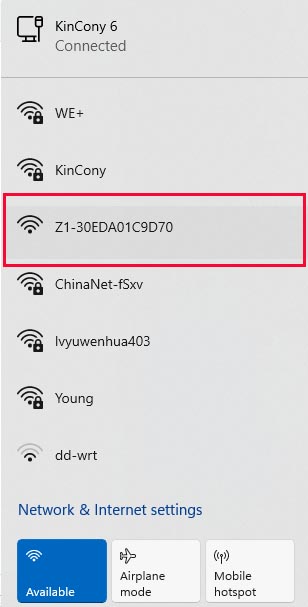
Let your computer connect to the “AP”, it’s without password, after you connected, just use http://192.168.4.1 to login by webpage.
If you can’t see the “AP”, you can “hold on” board’s function button (ESP32 GPIO0) >10 seconds, then board will be set to factory, default state is “AP”.
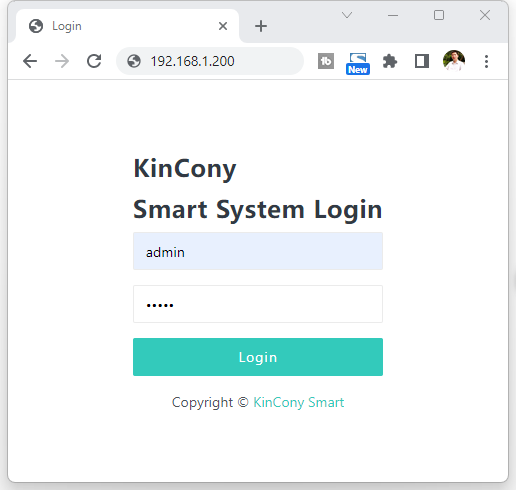
You can login webpage by ethernet IP or WiFi IP. Here is sample login by ethernet IP address 192.168.1.200
Login user name and password default are “admin” “admin”
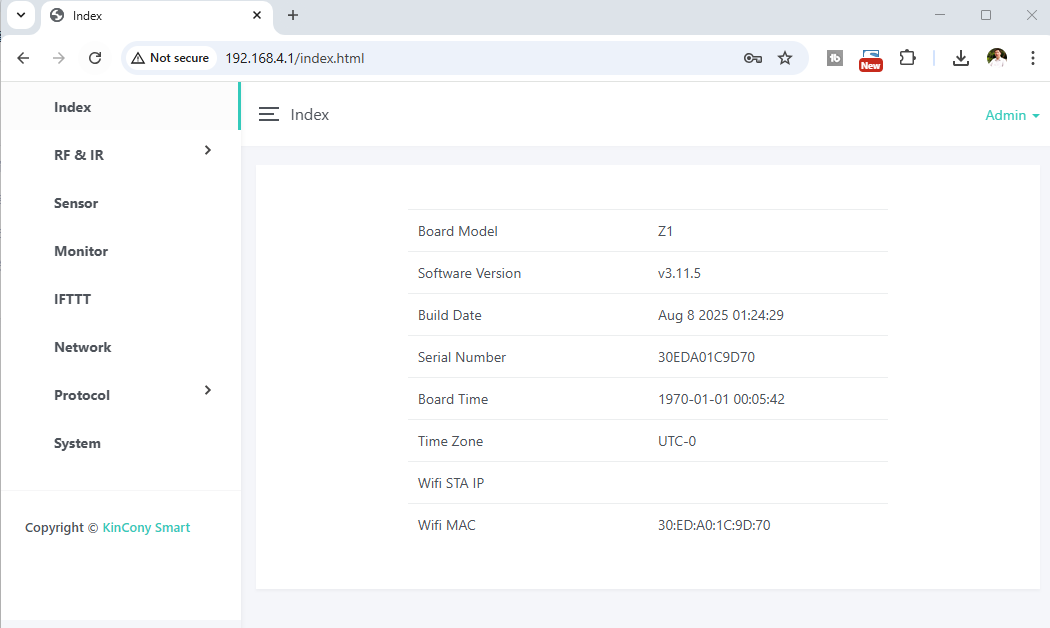
You can see this home page. Some parameters are shown.
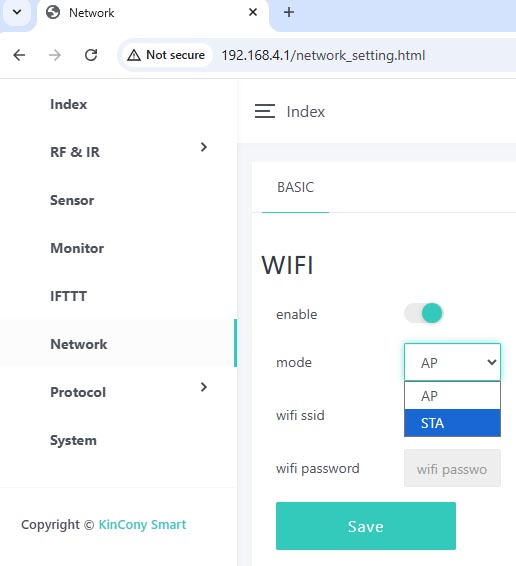
You if set WiFi by AP mode. device such as mobile phone or tablet can connect to board by wifi directly without wifi router.
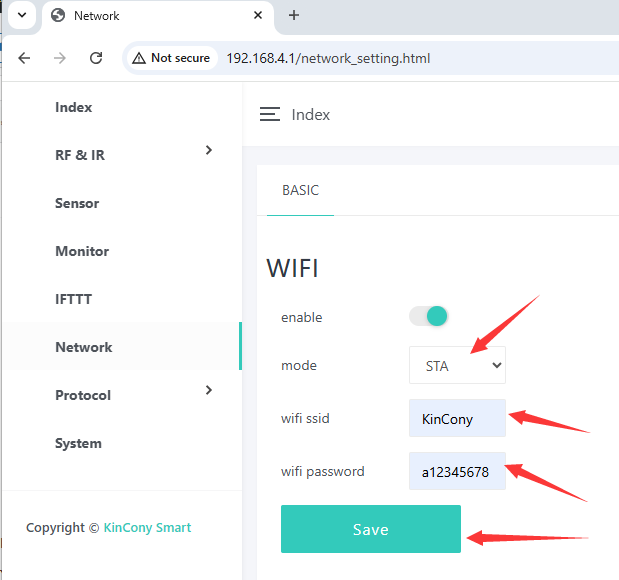
If you set WiFi to STA mode, input your router’s wifi ssid and password. after “save” , controller will reboot , then connect to wifi router directly.
use KinCony scan device tool or login in your rouer to find output board IP address.
https://www.kincony.com/download/UDP_SCAN_LIST.zip
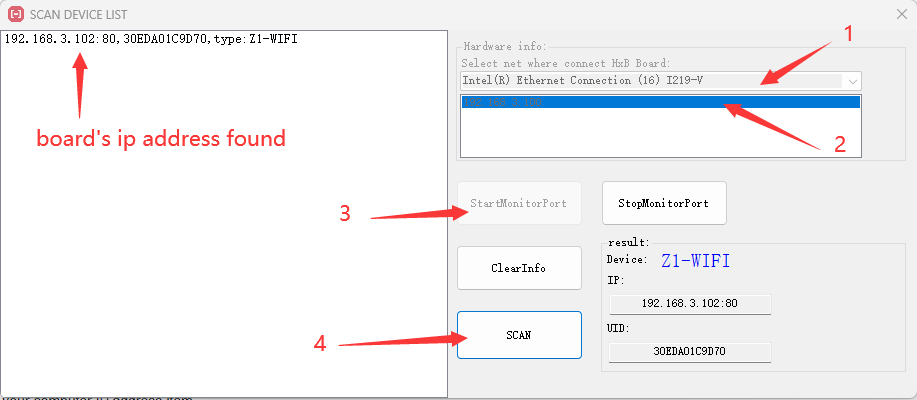
now you can use new ip address login KCS system:

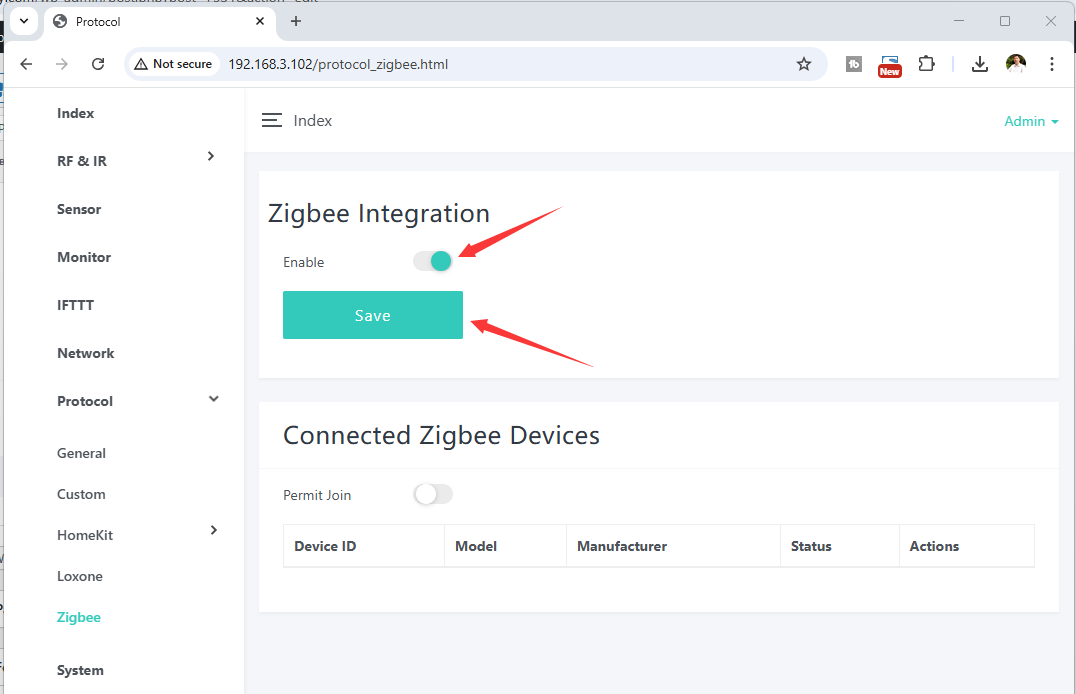
enable zigbee function, press “save” button.
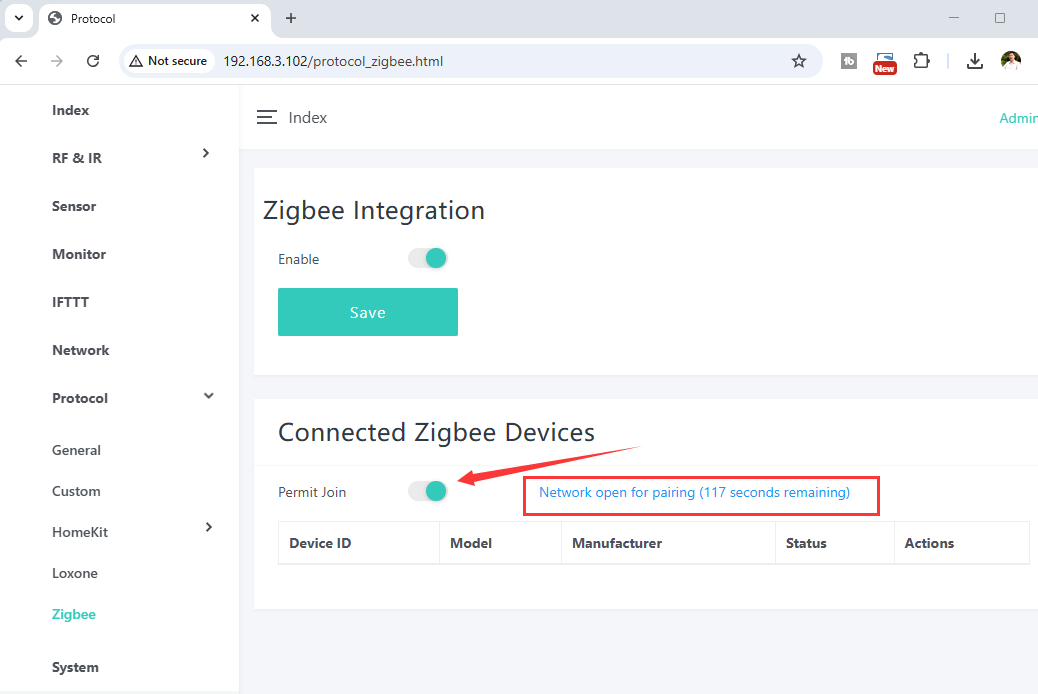
press “Permit Join” button, begin learn zigbee sensor signal. make sure zigbee product should MUST be zigbee3.0 standard protocol. We suggest purchasing Zigbee products from KinCony.
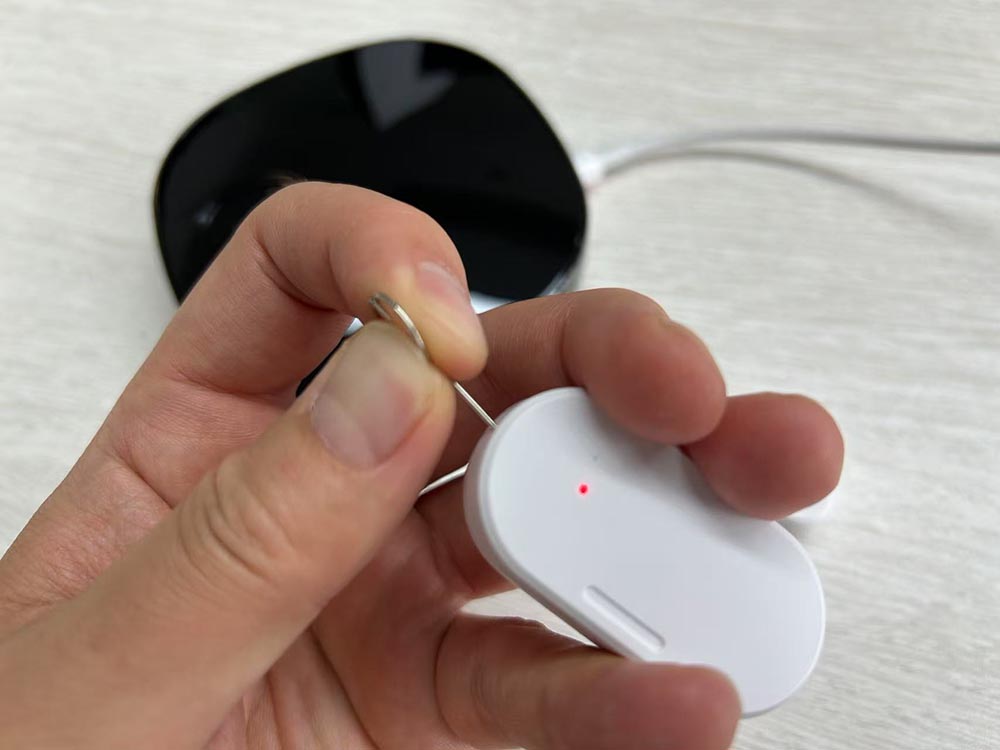
hold on zigbee sensor “join” button, then LED will blink.
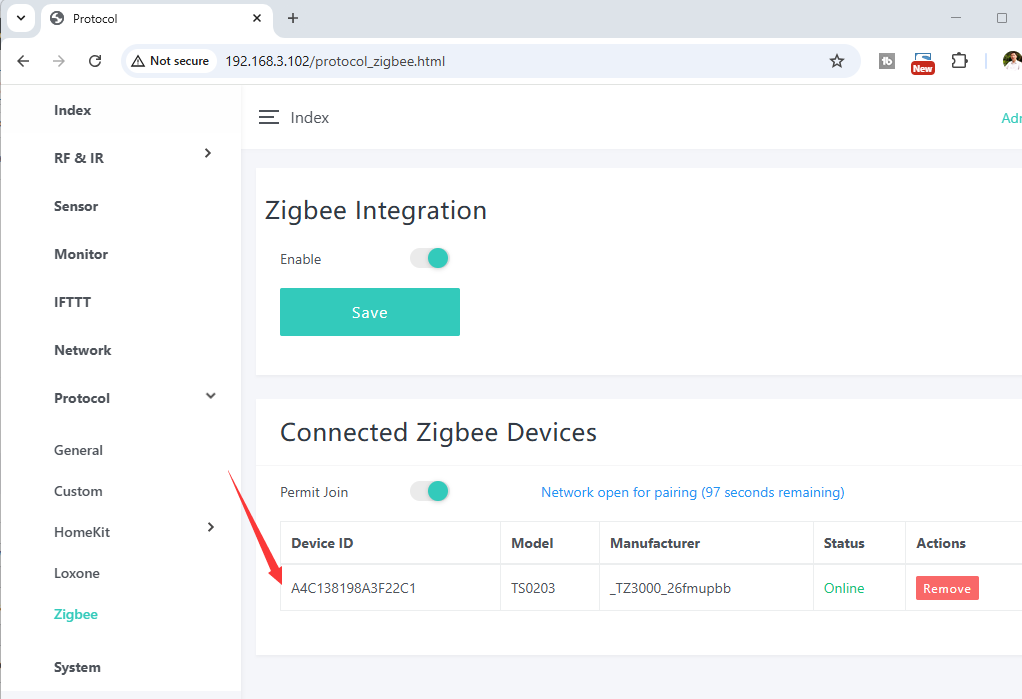
zigbee door sensor have been added.
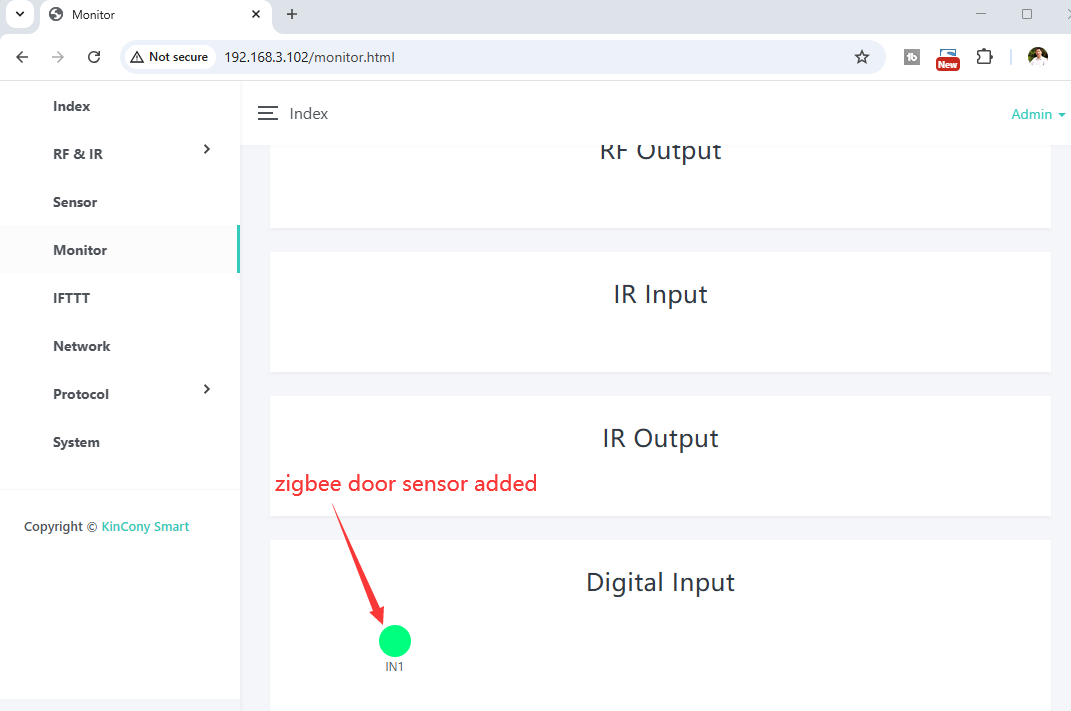
in KCS monitor webpage, will show the digital input1 ico for the zigbee door sensor.
use this way to add zigbee PIR sensor:
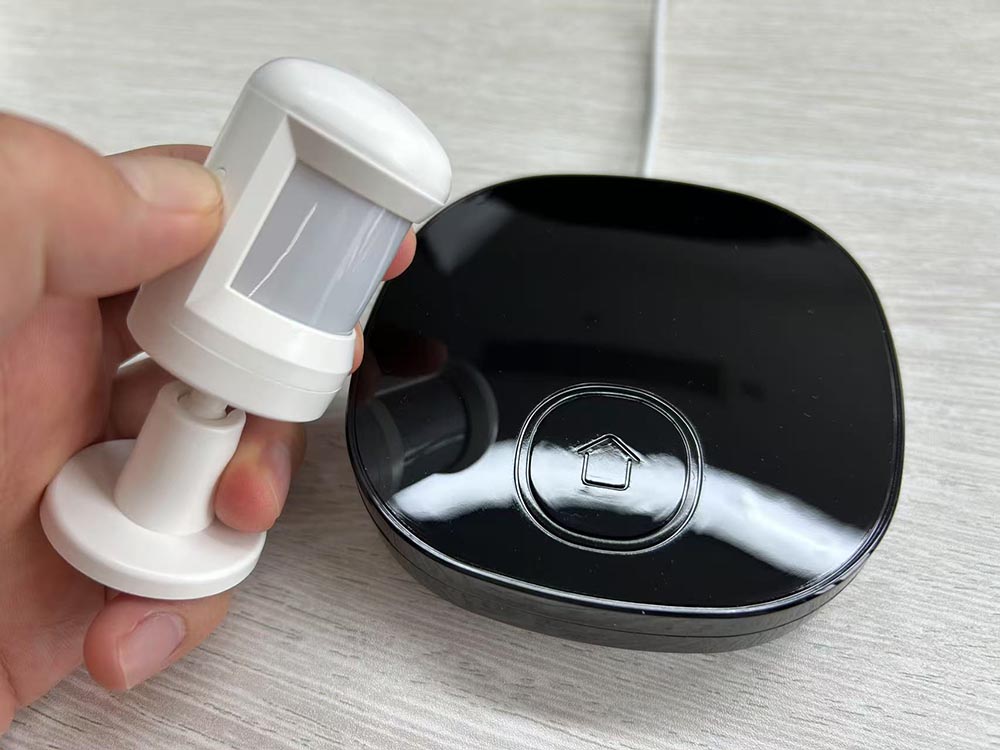
hold on zigbee sensor “join” button, then LED will blink.
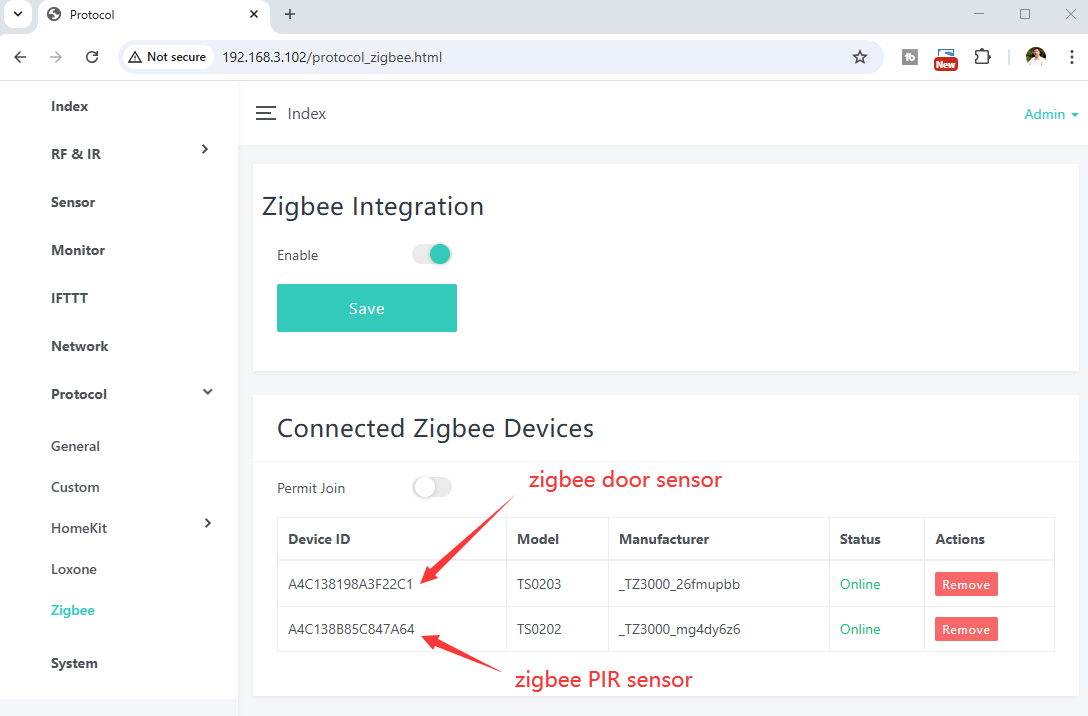
zigbee PIR sensor have been added.
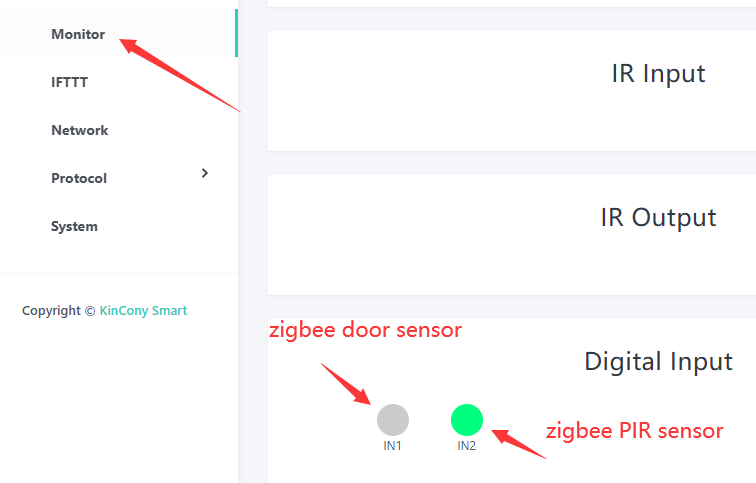
in KCS monitor webpage, will show the digital input2 ico for the zigbee PIR sensor.
use this way to add zigbee temperature humidity sensor:
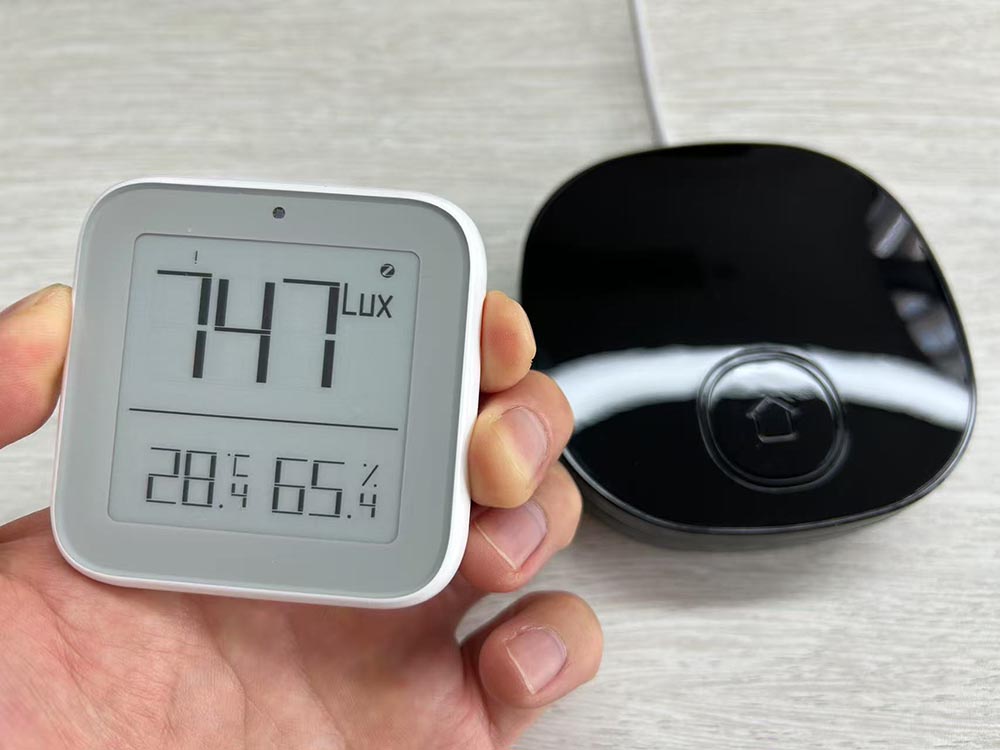
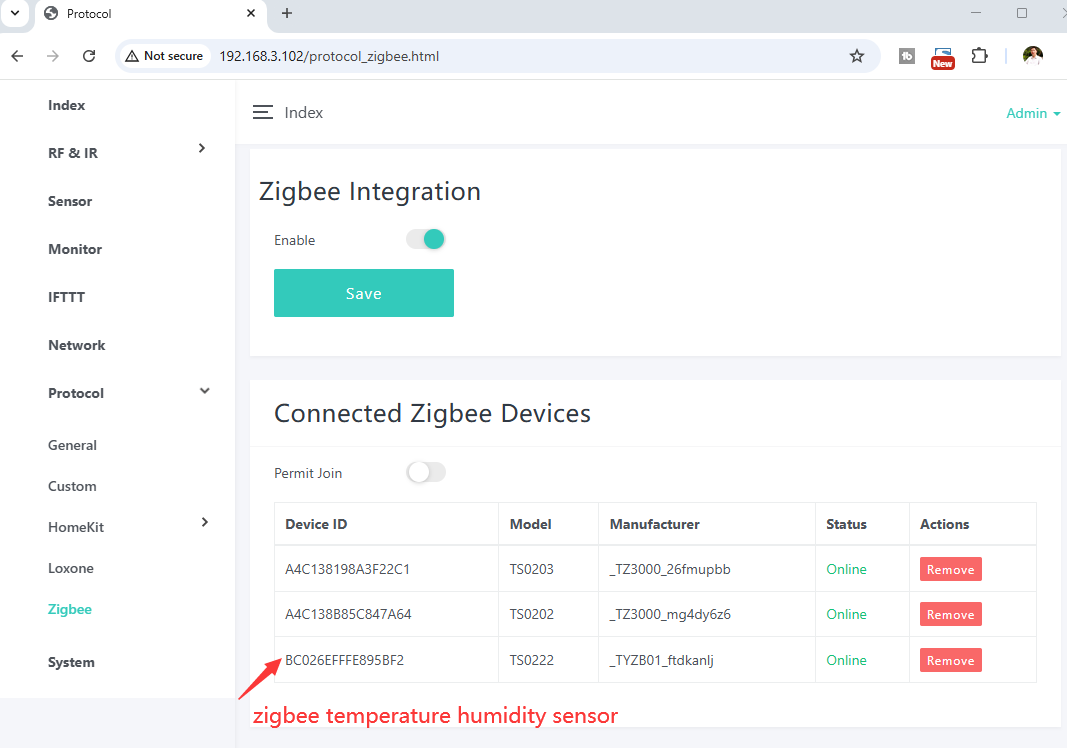
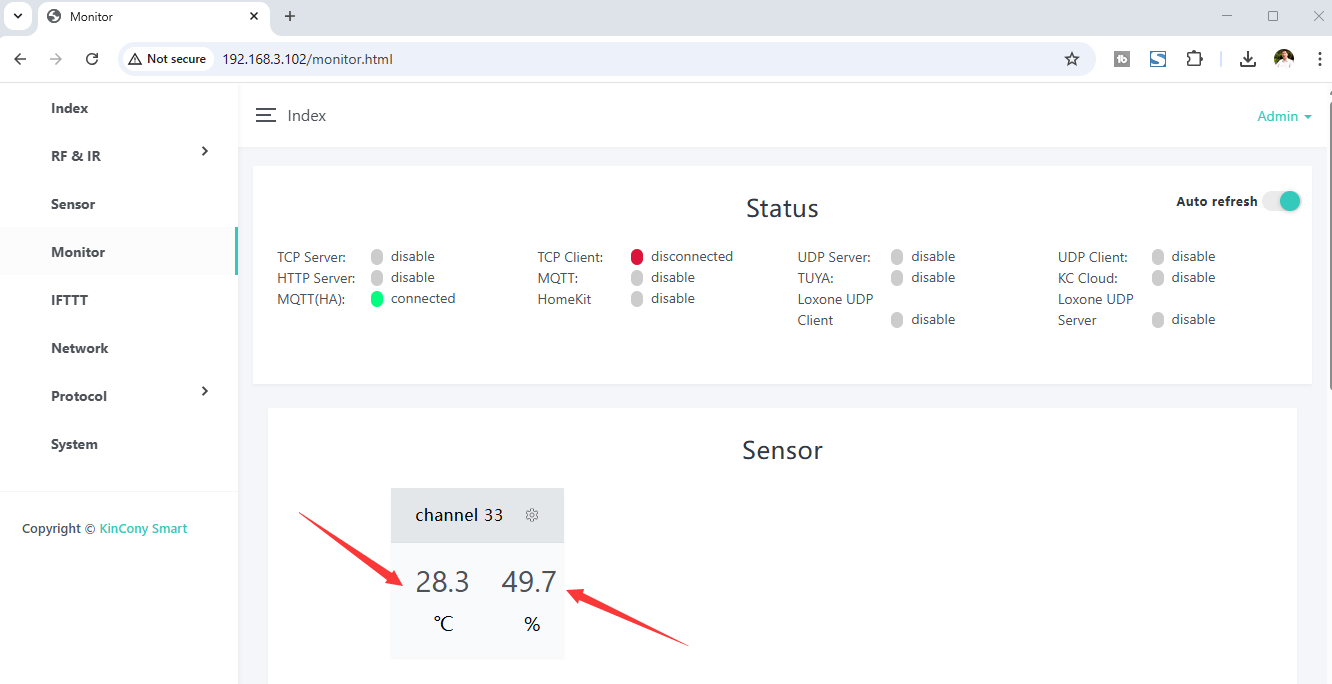
KCS monitor webpage showed temperature and humidity sensor data.
About “RF/IR” , “Sensor”, “Monitor”, “IFTTT”, “Network”, “Protocol”, “System” function, you can see KCS v3 online guide at here:
